
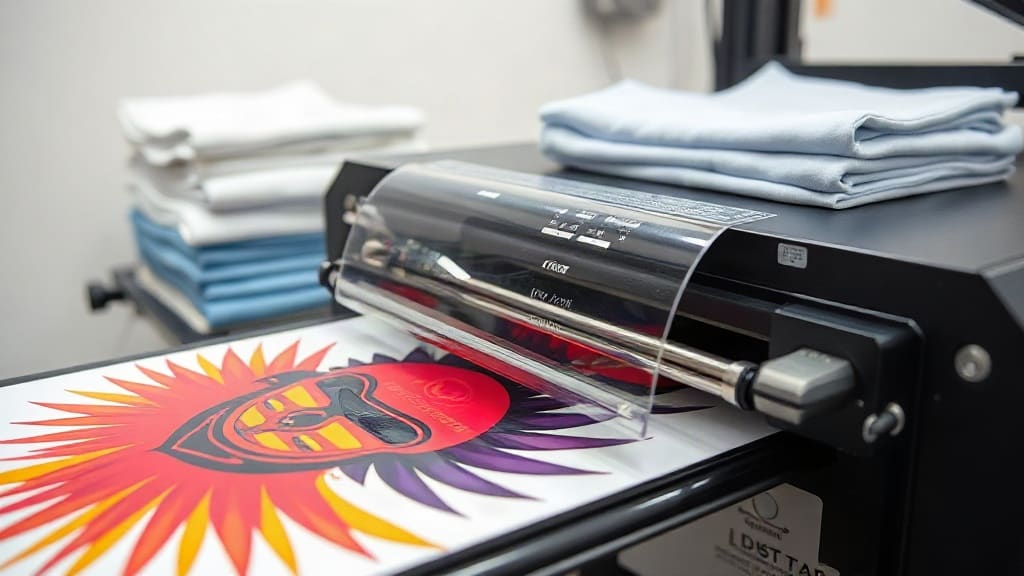
When you sell custom apparel, the last thing you want is a closet full of unsold shirts. That's where DTF printing on demand comes in. It lets you print vibrant, detailed designs on demand, one shirt at a time. No minimums, no inventory, no risk. In this guide, I'll walk you through what DTF is, how it works, and why it might be the best choice for your print-on-demand business. I'll also share practical tips I've learned from helping dozens of shops get started.
What Is DTF Printing?
DTF stands for Direct to Film. It's a printing method where your design is printed onto a special film, coated with a powder adhesive, and then heat-pressed onto fabric. Unlike DTG (Direct to Garment), which prints directly onto the shirt, DTF uses a transfer. This means you can print on almost any fabric: cotton, polyester, blends, even nylon and leather. The result is a soft, stretchable print that holds up wash after wash.
How the DTF Process Works
The process has four main steps:
- Design Preparation: Your artwork is prepared in RIP software, which mirrors the image and sets the white ink layer. The white layer is crucial for printing on dark garments.
- Printing: A DTF printer lays down CMYK inks plus white ink onto a PET film. The white ink is printed first (or last, depending on the printer setup) to create an opaque base.
- Powdering: While the ink is still wet, a hot-melt adhesive powder is applied. The film is then shaken to remove excess powder and heated to melt the powder into the ink.
- Curing and Transfer: The film is cured, then placed on the garment and heat-pressed. The adhesive bonds the ink to the fabric, and after cooling, the film is peeled away, leaving the design behind.
This process might sound complex, but once you have the right equipment, it's surprisingly efficient. And because you can print multiple transfers at once and store them, you can fulfill orders quickly.
Why Choose DTF for Print on Demand?
Print on demand (POD) is all about efficiency and low risk. DTF fits perfectly because:
- No minimums: Print one or one hundred. You only produce what you sell.
- No inventory: You don't need to stock blank shirts or finished goods. Keep a small supply of blanks and print as orders come in.
- Fabric versatility: Unlike DTG, which works best on 100% cotton, DTF adheres to almost any fabric. This opens up more product options: polyester performance wear, canvas bags, even denim jackets.
- Durability: DTF prints are known for their stretch and wash resistance. They won't crack or fade easily if applied correctly.
- Cost-effective for small batches: Screen printing requires setup costs per color, making small runs expensive. DTF has no setup fees, so short runs are affordable.
I've seen many POD sellers switch to DTF after struggling with DTG's limitations on dark shirts. The vibrant colors and white ink opacity make a huge difference.
DTF vs. Other Printing Methods
Let's compare DTF to the other common POD methods:
- DTG (Direct to Garment): Best for 100% cotton, but prints can look faded on dark colors and may crack over time. DTF offers better opacity and durability.
- Screen Printing: Great for large orders, but costly for small batches. DTF wins for one-offs and small runs.
- Heat Transfer Vinyl (HTV): Good for simple designs, but limited in color and detail. DTF handles complex, multi-color designs with ease.
- Sublimation: Only works on polyester and requires special coatings. DTF works on cotton and blends.
So if you want flexibility and quality, DTF is a strong contender.
Getting Started with DTF Printing on Demand
Ready to dive in? Here's what you need to know.
Equipment and Supplies
To start DTF printing, you'll need:
- A DTF printer (desktop models start around $1,500; industrial ones cost more).
- DTF ink (CMYK and white).
- PET film (usually 13" or 17" wide).
- Hot-melt adhesive powder.
- A heat press (for transferring).
- A curing oven or heat gun (for powder curing).
- RIP software (often included with the printer).
If you're just starting, you might consider outsourcing the printing to a DTF service and focusing on sales and fulfillment. Many POD sellers do this to avoid the upfront investment.
Design Tips for DTF
Not all designs work well with DTF. Keep these tips in mind:
- Use high-resolution images: At least 300 DPI. DTF can reproduce fine details, so make sure your artwork is sharp.
- Add a white underbase: For dark garments, the white layer is essential. Your RIP software will handle this, but check the preview.
- Avoid very fine lines: Extremely thin lines might not hold up as well. A minimum line width of 0.5pt is safe.
- Test on different fabrics: DTF works on many materials, but always test a sample first. Polyester blends may require lower heat press temperatures.
Workflow for On-Demand Orders
Here's a simple workflow to manage orders efficiently:
- Receive order: Your store sends the order details.
- Print transfer: Print the design on DTF film, powder, and cure. You can batch multiple orders together to save time.
- Prepare garment: Grab the correct blank and place it on the heat press.
- Press: Position the transfer, press at the recommended temperature and pressure, then peel.
- Quality check: Inspect the print for defects before packaging.
- Ship: Package and send to your customer.
With practice, you can complete a shirt in under 5 minutes.
Common Challenges and How to Overcome Them
DTF isn't without its quirks. Here are some issues you might face and how to fix them:
- Peeling or cracking: Usually caused by insufficient pressure, incorrect temperature, or not enough powder. Adjust your heat press settings and ensure even pressure.
- Faded colors: Could be due to expired ink or improper curing. Always use fresh ink and cure according to the manufacturer's specs.
- Adhesive residue: If the film leaves a sticky residue, you might be pressing too hot or too long. Reduce temperature or time.
- Clogged printhead: Regular maintenance is key. Print a nozzle check daily and clean the printhead as needed.
Don't get discouraged if your first attempts aren't perfect. I ruined a few shirts before I got the settings right. Keep a notebook of what works for each fabric type.
Scaling Your DTF Print on Demand Business
Once you've mastered the basics, you can scale up. Consider these strategies:
- Offer more products: Beyond t-shirts, add hoodies, tote bags, hats, and even shoes. DTF adheres to many surfaces.
- Automate order processing: Integrate your store with your printer's RIP software to streamline workflow.
- Market effectively: Use social media to showcase your designs. Video content of the DTF process can go viral.
- Upsell and cross-sell: Offer matching items or personalization for an extra fee.
- Outsource when needed: If demand exceeds your capacity, partner with a DTF printing service to fulfill overflow orders.
Many successful POD businesses started with a single DTF printer in a garage. With dedication, you can grow too.
Frequently Asked Questions
How much does it cost to start DTF printing on demand?
Initial investment can range from $1,500 to $5,000 for a desktop DTF printer, plus supplies. If you outsource printing, you can start for under $500. Consider your volume and budget before deciding.
Can I use DTF on 100% polyester?
Yes, DTF works on polyester. However, polyester requires lower heat press temperatures (around 280°F) to avoid melting or dye migration. Always test a sample first.
How long do DTF prints last?
With proper application and care, DTF prints can last 50+ washes. Wash inside out in cold water and avoid ironing directly on the print.
Do I need a special printer for DTF?
Yes, DTF requires a printer that uses DTF ink and can handle PET film. You can convert some inkjet printers, but dedicated DTF printers are recommended for best results.
Is DTF better than DTG for print on demand?
It depends. DTF is more versatile (works on more fabrics) and often more durable, but DTG can be simpler for 100% cotton. Many sellers use both. For dark garments, DTF usually wins.